Online tools for creators. Edit Shorts, Reels and YouTube videos right in your browser — captions, stickers, effects and music on a real multi-track timeline. No install, no upload.
We're starting with video editing and adding more online services step by step.
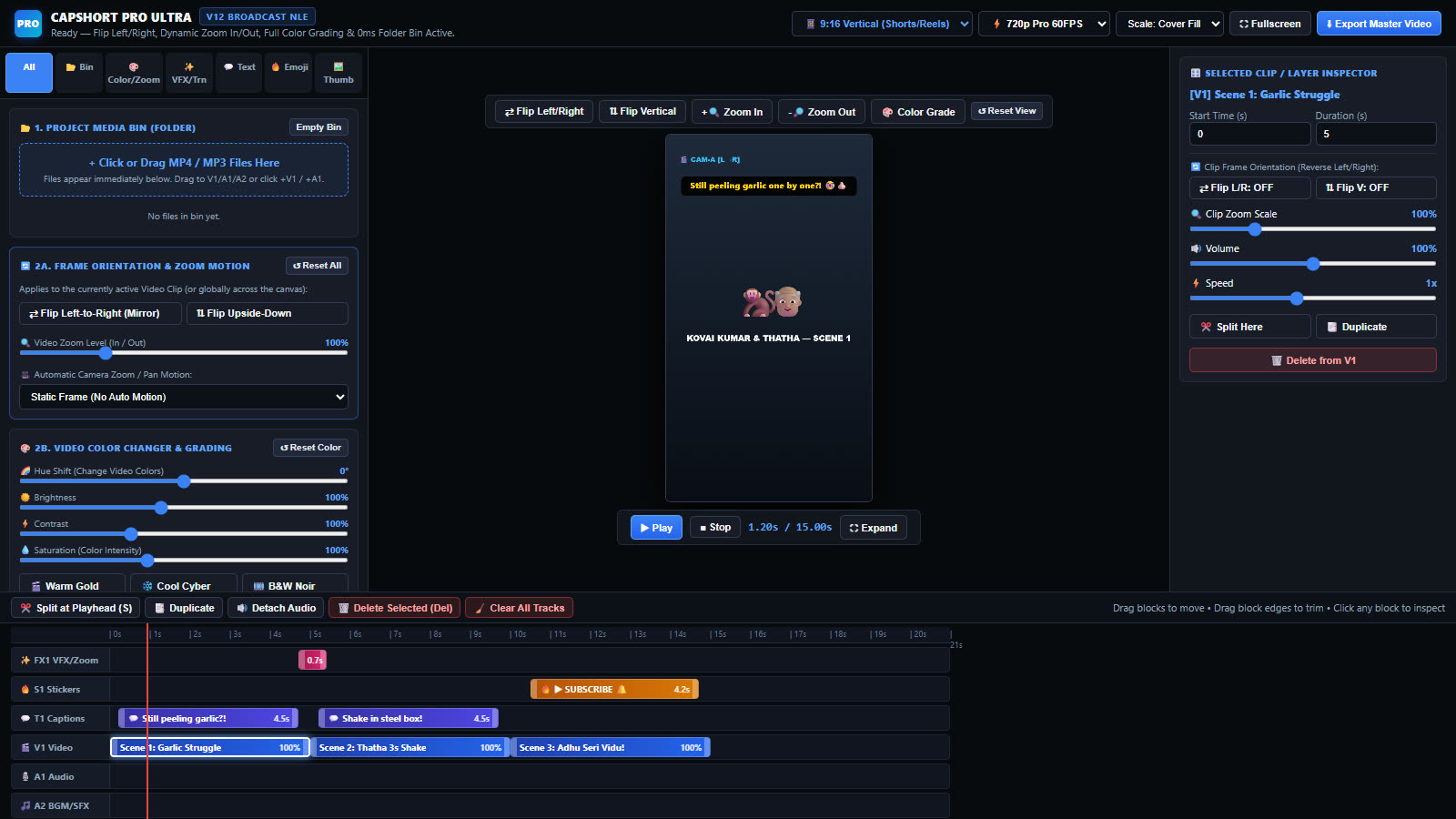
A six-track video editor for Shorts, Reels and YouTube. Captions, stickers, transitions, colour grading and a thumbnail designer, all in one place.
Turn a text prompt or an image into a short video clip, ready to drop straight into the editor.
More tools for creators and businesses are on the way. Check back here as we add them.
Built for vertical Shorts and Reels, with widescreen and square formats too.
Separate tracks for video, voice, music, captions, stickers and effects. Drag to move, pull the edges to trim, split at the playhead.
Timed captions and emoji or call-to-action stickers. Drag them anywhere on the video and change colour and size.
Zoom punch, shake, strobe, spotlight, colour cycle, flash, fade, whip slide and circle wipe.
Brightness, contrast, saturation and hue, with one-click looks like Warm Gold, Cool Cyber and B&W Noir.
Mirror or flip any clip, zoom from 50% to 250%, or add automatic zoom-in, zoom-out and pan motion.
Turn any frame into a bold thumbnail with big headline text, colour themes and a badge, then save it as a PNG.
Add music and sound effects, set each clip's volume up to 200%, change speed, or detach a clip's audio to its own track.
9:16 for Shorts and Reels, 16:9 for YouTube, 1:1 for feeds, in 720p or 1080p.
Everything runs on your own computer. Your clips are never uploaded to any server.
No subscription, no account. Pay by UPI and start editing in seconds.
₹10 / 24 hours
Already paid? Enter your access code.
Pay ₹10 by UPI or card and the editor unlocks for 24 hours. You get an access code you can use on up to 2 devices. Nothing renews automatically, and there's no account to create.
Go to the payment page and enter the Razorpay payment ID (starts with pay_) from your payment receipt under "Already paid?". Your pass comes straight back.
No. The editor runs entirely on your computer, in your browser. Your clips and exports stay on your device.
Google Chrome and Microsoft Edge on a desktop or laptop. The editor needs a large screen and isn't designed for phones.
Browsers record video as WebM, which YouTube, Instagram and most players accept directly.
Export records your timeline in real time, so a 60-second video takes about a minute. Keep the editor window open and visible until it finishes.
It's in development. It will appear on this page as soon as it's ready.